Resume tailoring Chrome extension Send any job posting to ResuFit in seconds
The ResuFit Chrome extension turns the job posting in your tab into a tailored resume, or saves it to your job tracker. Click the ResuFit icon on the posting and pick one. ResuFit opens with the job already filled in, so there is nothing to copy and paste.
Free to install · Chrome, Edge and Brave
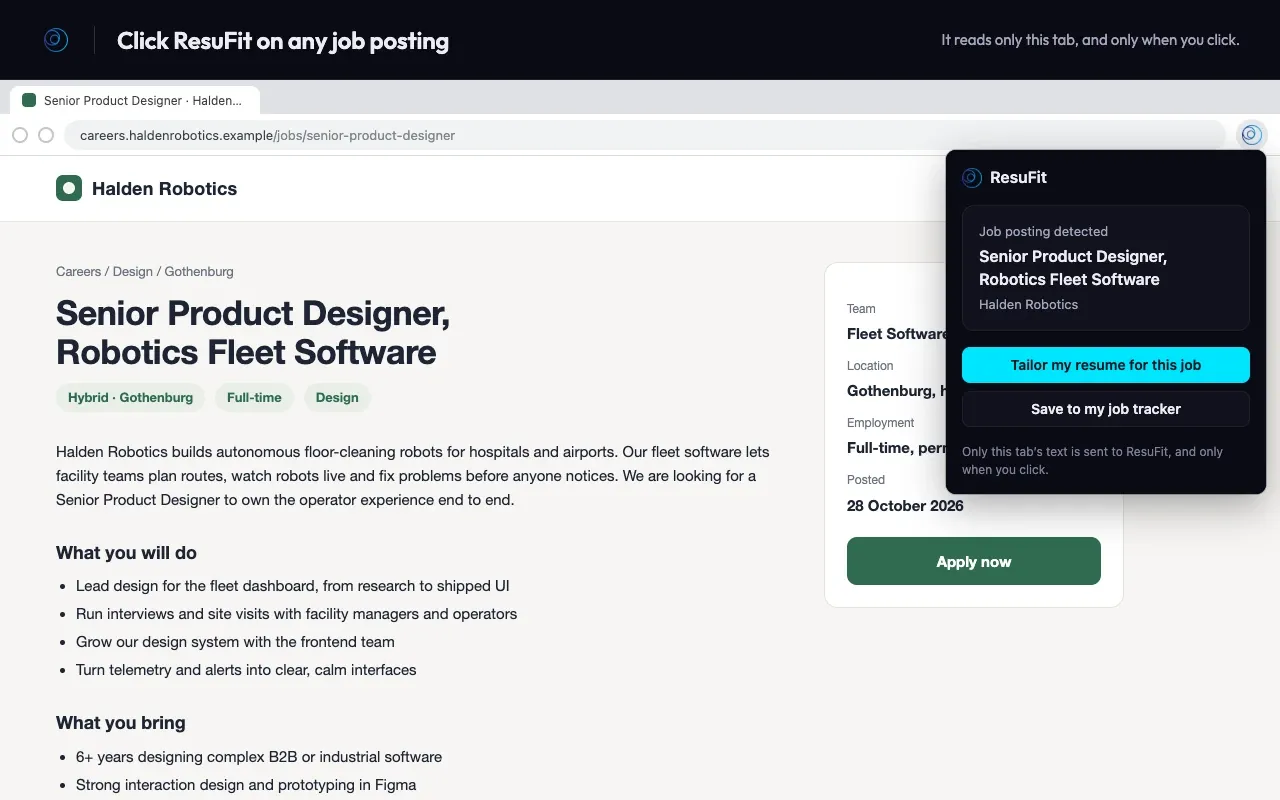
Two choices on every posting
What does the ResuFit extension do?
On a job posting, the popup offers two actions. Both send the posting to your ResuFit account.
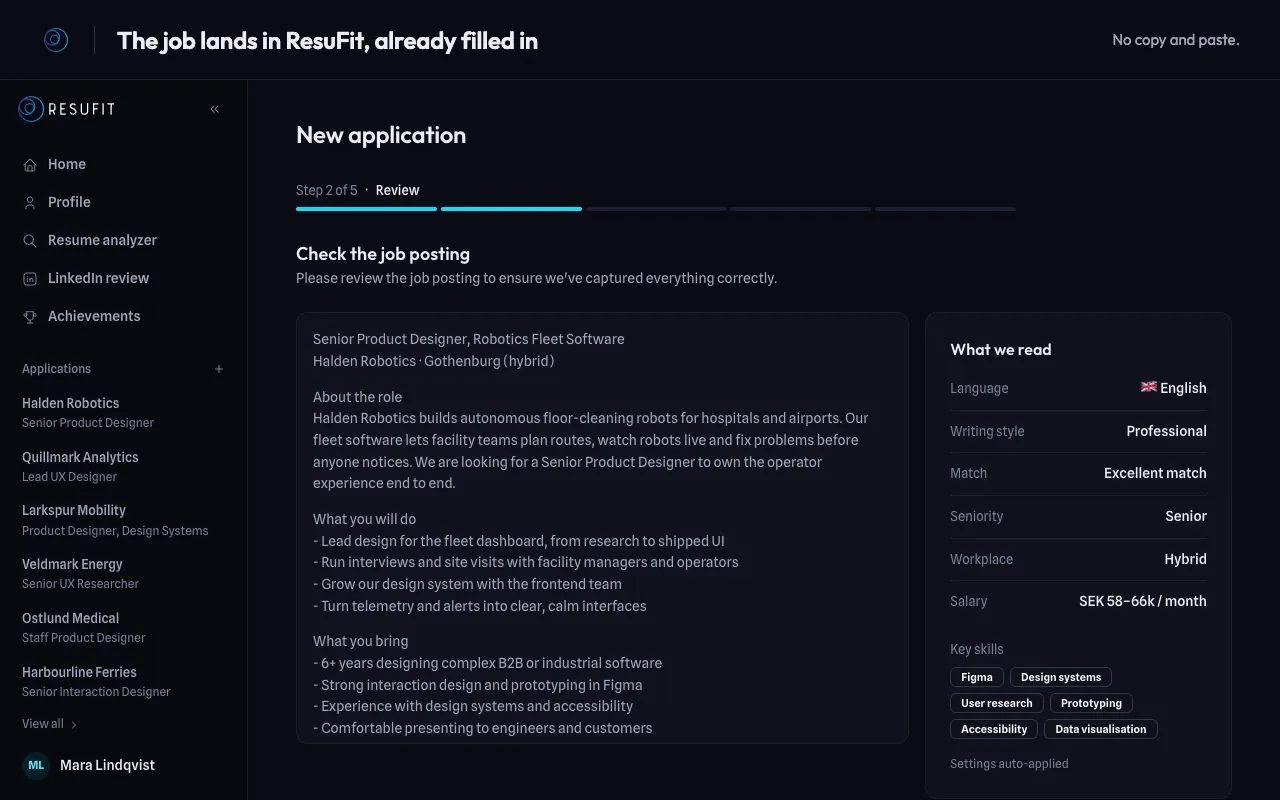
The job lands in ResuFit, already filled in
Choose Tailor my resume for this job and ResuFit opens a new application with the posting in place. Check what it read, then carry on.
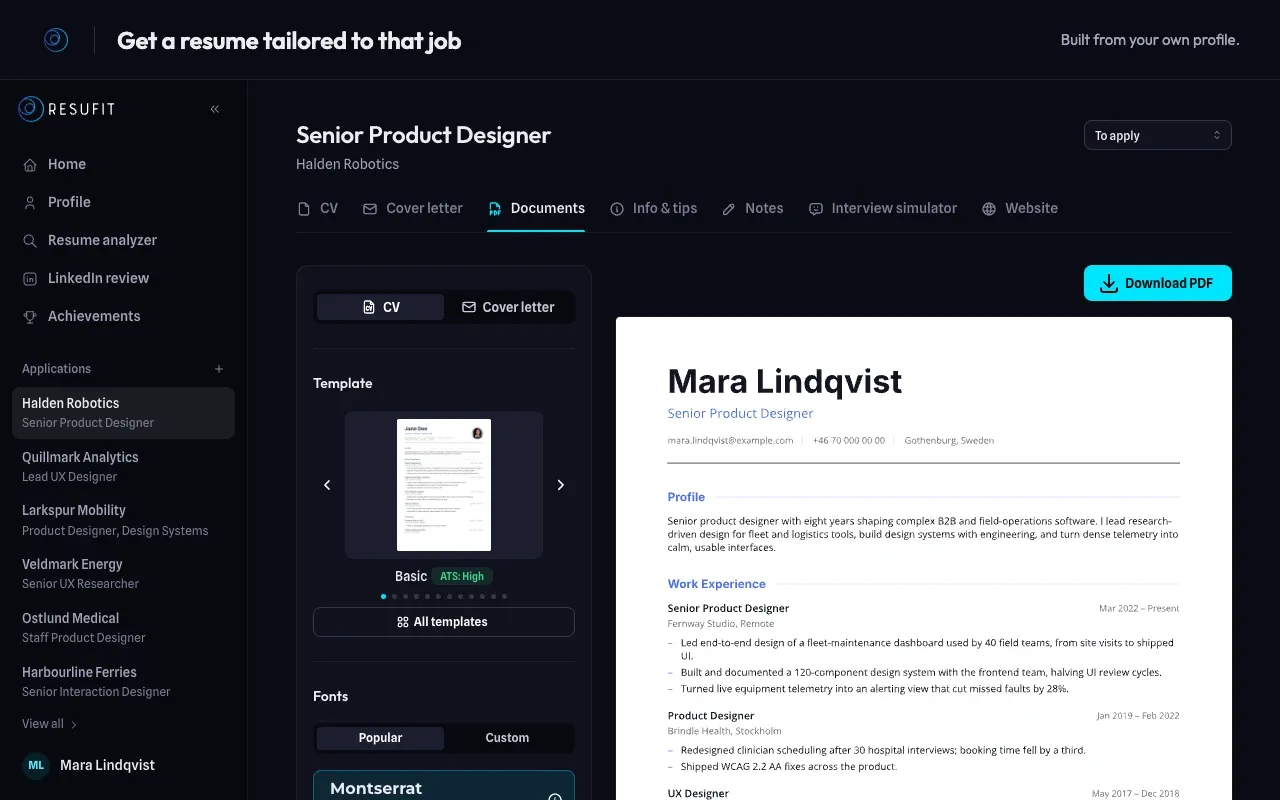
A resume tailored to that job
ResuFit writes the resume from your own profile and matches it to the requirements and keywords of the posting. Pick a template and download the PDF.
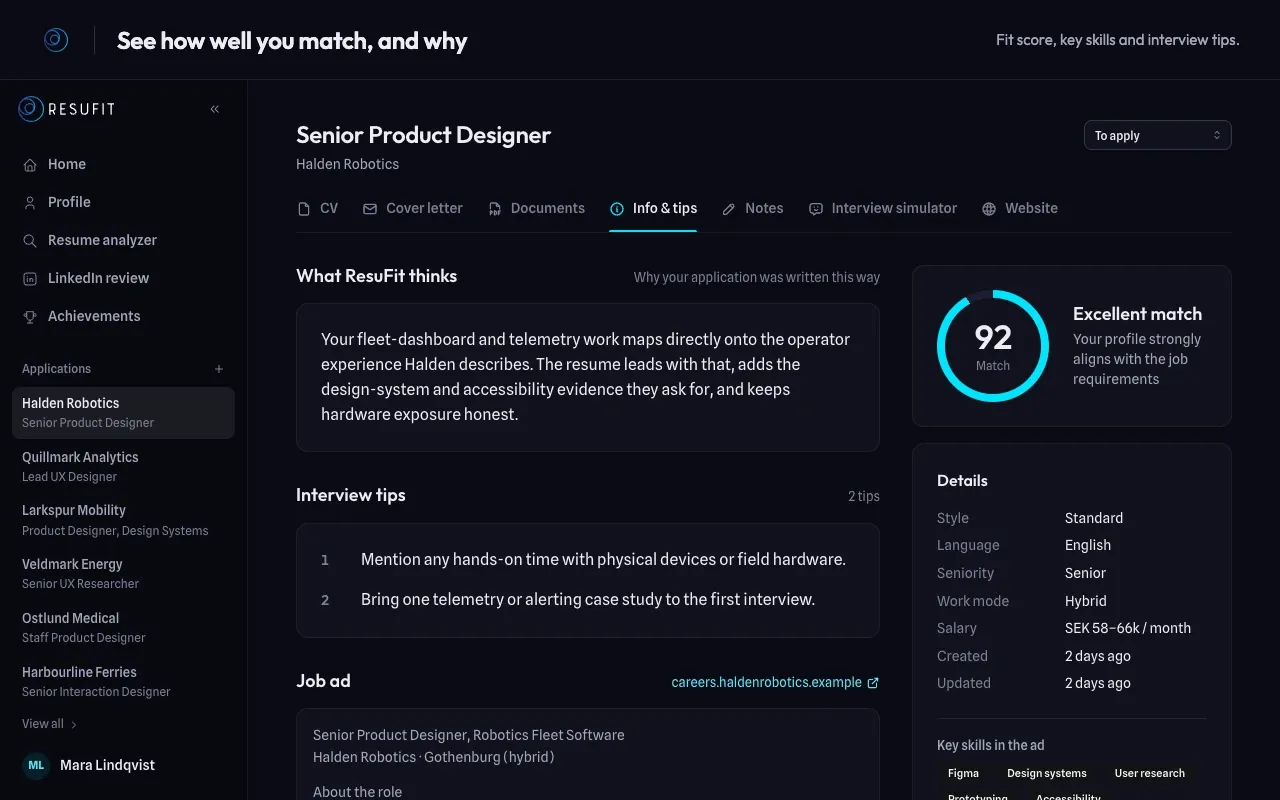
See how well you match, and why
Each application comes with a match score, the key skills from the ad and interview tips for the role.
Or save the job for later
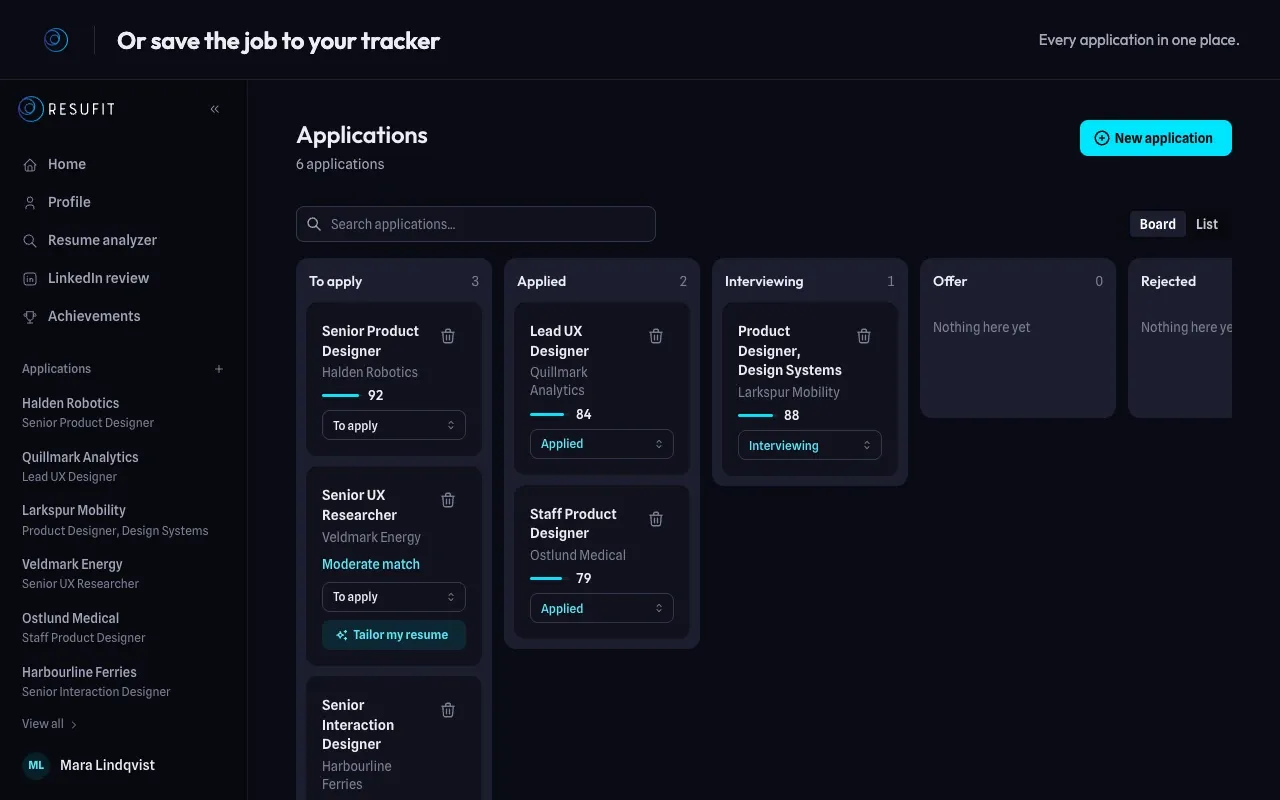
Choose Save to my job tracker and the job goes on your application board with its match level. Saving jobs is free and unlimited.
Does it work on LinkedIn?
Yes. On LinkedIn job pages it works like anywhere else. The extension sends the text of the posting you are looking at, so it also works where pasting a LinkedIn job link into ResuFit fails.
On your own LinkedIn profile, the same icon offers:
- Import into my ResuFit profile: your headline, About, experience, education and skills fill your ResuFit profile after you review them.
- Optimize my LinkedIn profile: a scored review of your profile with rewrites for your target role.
It only ever reads your own profile. On anyone else’s, it reads nothing.
How It Works
-
Add it to your browser
Install ResuFit from the Chrome Web Store. It runs in Chrome, Edge and Brave.
-
Open a job posting
Job boards, company career pages and most applicant-tracking systems all work. Click the ResuFit icon in your toolbar.
-
Tailor or save
ResuFit opens with the job filled in. Not signed in yet? Create a free account and the job waits for you.
What does the extension read?
- Only the tab you click it on, and only at that moment.
- The page address, its title and the job posting. Nothing else on the page.
- Nothing leaves your browser until you choose an action.
- No background activity, no browsing history, no analytics, no remote code.
It never applies for you
Auto-apply tools fire the same resume at hundreds of postings. ResuFit works one job at a time. You choose the posting, review the tailored resume and send it yourself. The extension never fills in forms or submits applications.
Frequently Asked Questions
Is the ResuFit Chrome extension free?
Installing it is free, and so is saving jobs to your tracker, with no limit. You need a free ResuFit account. Tailoring gives you a free preview of the resume. The full tailored resume needs a paid ResuFit plan.
Which browsers does it work in?
Chrome, Microsoft Edge and Brave on desktop, all installed from the Chrome Web Store. Edge asks you once to allow extensions from other stores. Firefox, Safari and mobile browsers are not supported.
What data does the extension read?
Only the tab you open it on, at the moment you open it: the page address, the title and the job posting (its structured job data if the page has it, the visible text otherwise). Nothing is sent until you click an action. No background activity and no browsing history. Details are in our privacy policy.
Does it work on LinkedIn?
Yes. On LinkedIn job pages it sends the posting text you are looking at, so it works even where pasting a LinkedIn link fails. On your own LinkedIn profile it can import the profile into ResuFit or run the LinkedIn profile review. It never reads anyone else’s profile.
Does it apply to jobs for me?
No. It never fills in forms or submits applications. You choose the job, review the tailored resume and apply yourself. That is deliberate: ResuFit is built for one tailored application at a time.
Do I need a ResuFit account?
Yes, a free one. If you are not signed in, ResuFit asks you to sign in or sign up and keeps the job until you are done.
Your next application starts on the job posting
Add ResuFit to Chrome, open a job you want and click the icon.